Observations on the Showcraft demo, mocked 1:1 in HTML against Nura's actual visual system. Each note marks a place where the cost of a decision and the visibility of that cost are slightly misaligned — and sketches what would close the gap. Framed as design thinking applied generally, not as Cognograph slotting in.
A creative tool succeeds when the cost of a decision matches the visibility of that cost. When the cost of switching modes is invisible, switching is overused. When the cost of rendering is invisible, rendering is feared. The job of the orchestration layer is to surface those costs as texture, not as warnings.
Methodology is what experts have. Tooling can accelerate and automate that domain knowledge now, and let humans focus on decisions and creation. Method staging IS context engineering.
Three dots per row: low ○ ○ ○ → high ● ● ●. Practitioner ranking only — no telemetry behind this. The visual exists to show which move has the widest gap between cost and visibility, not by how much.
A creative tool succeeds when the cost of a decision matches the visibility of that cost. The widest gap is Move 03 — rendering is high-cost (3 dots) and low-visibility (1 dot). Move 01 and Move 02 share a smaller gap shape; their consequences differ in how the gap is felt.
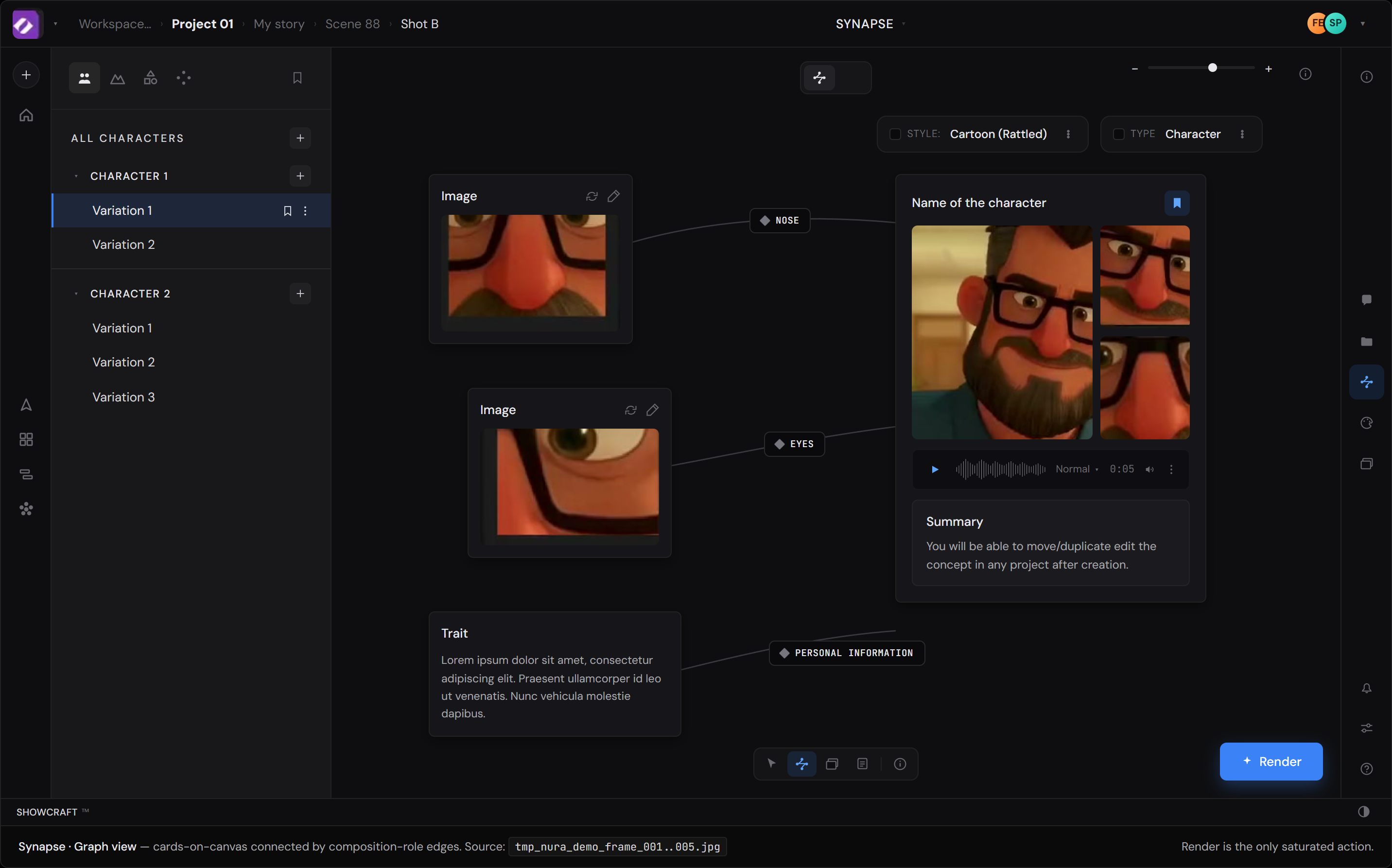
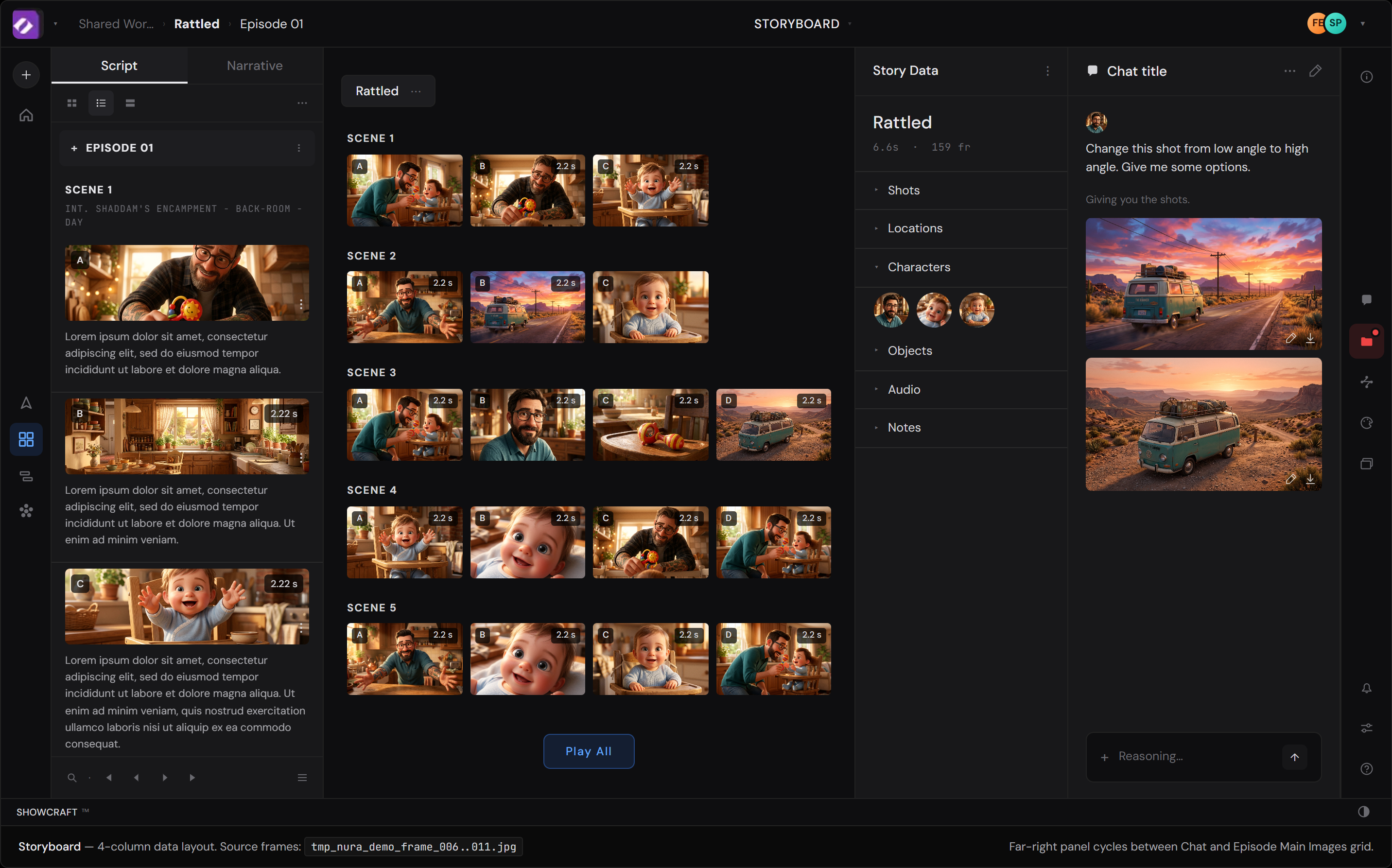
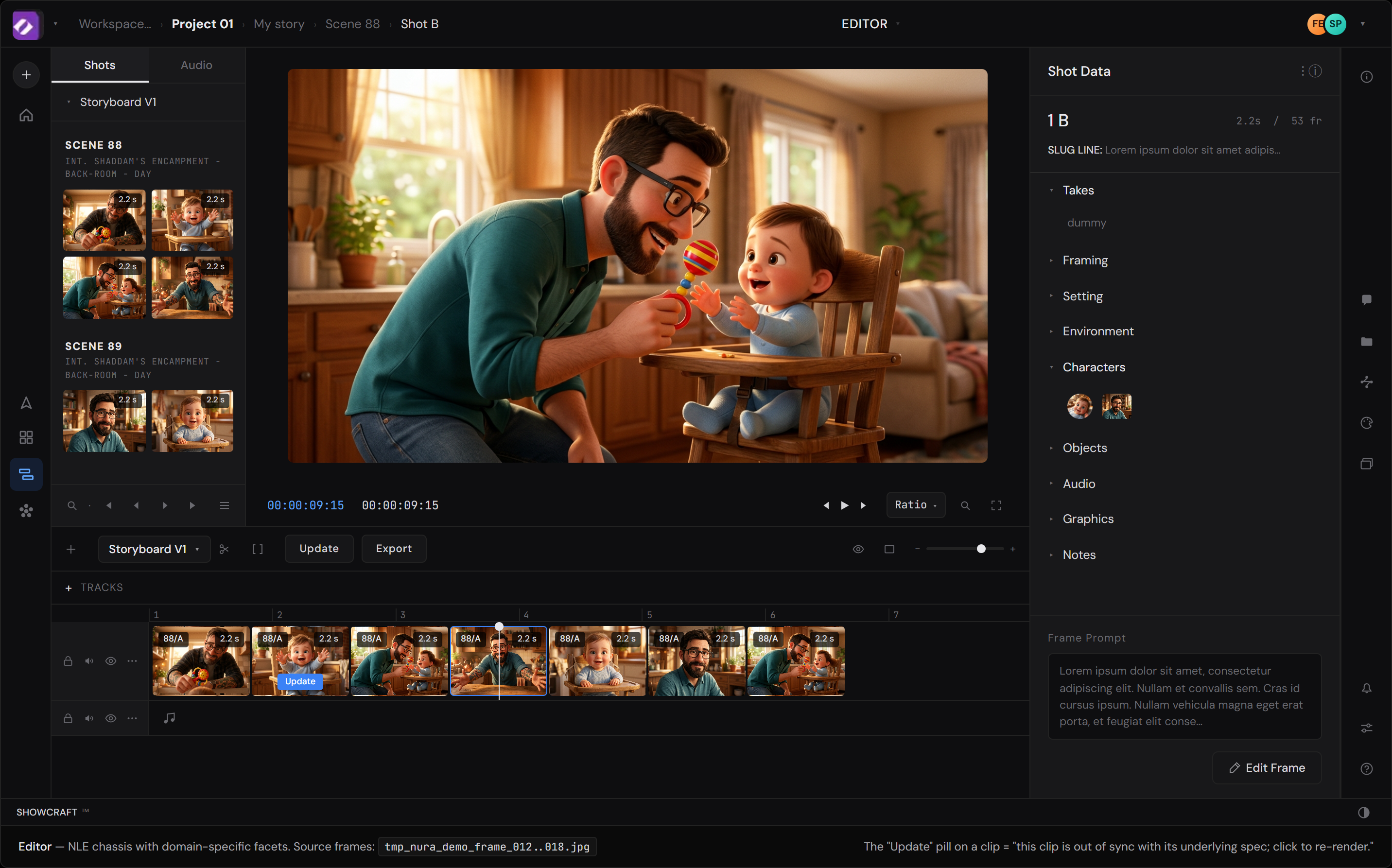
Each Showcraft workspace reconstructed in HTML from the demo video, dense-sampled at 6fps to catch the pans. Open each in a new tab — they're standalone files that match the actual product chrome at high fidelity. The notes below reference these as the baseline; the act of rebuilding them is half of how the notes were found.
Files: mocks/synapse.html · mocks/storyboard.html · mocks/editor.html
Today, switching from Synapse → Storyboard → Editor reshapes the breadcrumb and loses the creator's working "where am I." The proposal: treat the mode-switch as a lens change over the same object, not a navigation. The persistent crumb anchors the creator's current scene/shot regardless of mode.
Synapse: Workspace… > Project 01 > My story > Scene 88 > Shot B
Storyboard: Shared Wor… > Rattled > Episode 01
Editor: Scene 88 > Scene 89 (in left rail, not breadcrumb)
Are the three modes projections of a single source-of-truth graph, or are they three first-class views you reconcile?
If projections — Move 01 is data-model implicit, the breadcrumb inconsistency is a UI gap, not a semantic one. If parallel views — getting state-management right across modes is the differentiator.
Three modes, three breadcrumb shapes. Storyboard drops the working object entirely; the creator has to hold "Shot B" in their head across the switch.
→ Compare against the actual chrome in synapse.html · storyboard.html · editor.html
Same shape across all three modes. The working object (Shot B chip) is the constant — only the mode-tag color shifts (blue → green → violet) as a tertiary cue that the lens changed. The object the creator is thinking about never moves.
Implementation note: requires the data layer to treat Shot as a stable anchor regardless of which view is foregrounded. See the architectural-hook callout above.
Today's chat panel conflates three roles inside one column: input (compose the prompt), output (the AI's reply + reasoning), and memory (the artifacts the conversation produced — generated shots, links, references). Split it. Compose lives in chrome, persistent across all modes. Memory + artifacts live in the column, available for reference but no longer required for input.
Storyboard's chat panel is column 4 of 4. Inside that column lives the composer and the chat history and the produced artifacts (rewritten shot variants, image options, reasoning blocks). Synapse and Editor have none of these at all. The grammar of Showcraft's most differentiated UX — "change this shot…" — and the record of what the conversation produced both disappear the moment you switch modes.
The scope-chip mechanic is the centerpiece of the chrome bar. When the director clicks a node, shot, clip, or character, that entity materializes as a labeled chip in the composer. Multiple chips stack. Empty chip area = "act on whatever I'm looking at." Each chip is dismissible with ×.
This is method-stating at the UX layer. Today the AI guesses the user's mental model: "is 'this shot' the one they just clicked, the one in the viewer, the one in the breadcrumb?" The chip system lets the user show the model what's adjacent rather than the model guessing. The implicit context becomes explicit and editable before the sentence is read.
The column becomes the conversational memory: every prompt and reply with timestamps, every artifact the conversation produced (rewritten variants, image options, regenerated traits), and a link on each artifact pointing to where it now lives in the project. Click the link, jump to the node / shot / clip / character that the artifact ended up attached to.
This solves a real problem in conversational creator tools: the AI generates five options, the director picks one, and three weeks later they can't remember where the picked variant lives or how they got there. The column is the audit trail — and it lives in any mode, because the column is now a panel in the right-dock, not a wholesale column of the workspace.
The chat surface lives inside Storyboard. Switch to Synapse or Editor and the most-used affordance — "change this shot…" — disappears entirely. The director has to leave their working lens to speak.
Click any node, shot, clip, or character → it becomes a labeled chip. Chips stack. Empty chip area = "act on whatever I'm looking at." Each chip dismissible with ×. The same bar appears at the bottom of every mode — Synapse, Storyboard, Editor — with the same composer behavior. Scope changes per mode (nodes in Synapse, shots in Storyboard, clips in Editor); the input grammar doesn't.
×. No more guessing what "this" refers to. The chips disambiguate scope before the sentence is read, so the system can route the prompt to the right operation in the right mode.
In the current Synapse view, "Render" is one button — one click commits to the most expensive operation in the entire system. The proposal: distribute the cognitive contract across stages, so the cost is visible before commitment, and creators can iterate without anxiety. This is the cost-visibility gap from the lens section, made concrete.
Click Render → wait → result. There's no preview, no cost-time estimate, no progressive disclosure. For an animation pipeline where renders take seconds-to-minutes and have meaningful compute cost, the asymmetry between click effort and consequence is high.
No texture between the click and the result. Cost is invisible; intent is opaque; iteration cost is paid in full each time. A burned creator hesitates. The four-stage flow below restores the texture.
Render button hover triggers a low-cost LoRA preview — the creator sees roughly what the full render will return, without committing. Almost-free preview shrinks the gap between intent and feedback.
Click opens a slate: estimated time, dollar cost, style preset, output dimensions, variation count. Cost becomes texture before commitment, not regret after.
Variations stream in as they complete. Each is scrubbable mid-flight. Creator can pause or cancel without lost state — the render isn't a leap, it's a controlled descent.
Final variations land. Creator picks the favorite; the rest stay accessible in the column. Cancel mid-render preserves state — restart from where you left off. Asymmetric cost becomes asymmetric care.